- Category
- Fish table
- Best for
- Short phone sessions on a bright, readable screen
- Lobby title
- 天堂
- Literal meaning
- paradise
- Where to play
- Browser, Android APK, iPhone web app
Paradise (天堂) is a colourful cartoon fish table built around a toothy purple fish. This page covers the tile, the shooting mechanics, sensible target choice and the steps to open it with an Ultra Thunder account.
- Purple fish with a jagged green crest and a mouth full of teeth
- Jellyfish, starfish and pearl shells fill a bright coral reef
- Chinese title 天堂 simply means paradise
- High-contrast cartoon art that reads well on a phone
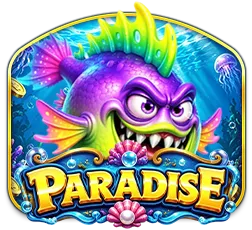
Paradise is a fish table whose icon does not look especially peaceful. The centre of the tile is a round purple fish with a jagged green crest running down its back, a yellow-green belly, red eyes under furrowed brows and a very wide grin full of sharp teeth. Around it the reef is cheerful: a pink jellyfish drifts top-right, an orange starfish rests on the coral, and open shells hold pearls at the bottom edge. The name sits in gold-and-orange letters with a pearl shell beneath it. The Chinese title is 天堂, which means “paradise” and nothing more.
Shooting on a shared reef
Paradise follows the standard fish table format used throughout Ultra Thunder. You control a cannon from the bottom edge, set a bet level that applies to every shot, and fire at fish crossing a screen that other players share in real time. Each shot costs your current bet level whether or not it connects. Small reef fish drop quickly; larger creatures, which the purple fish on the tile presumably represents, take many more hits and cost more to clear.
Other players’ cannons are visible, and their shots count against the same targets as yours. Treat that as information rather than competition: a creature that is already taking fire from two other cannons is closer to falling than one nobody has touched.
Choosing targets without overspending
The useful question before every shot is “how many of these will this take?” If you do not know, pick something small. A session that opens with a few minutes on the smallest targets at the lowest bet level teaches you the table’s rhythm for almost nothing. The specific fish, their values and any weapon changes in Paradise are listed on the info screen in the game; check it before you raise the bet rather than guessing.
Is Paradise right for you
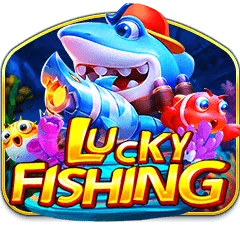
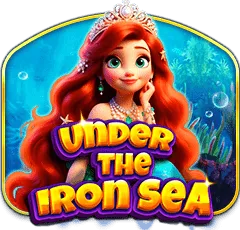
Paradise suits players who like bright, cartoon-style artwork and a screen that is easy to read on a phone. The colours are high contrast and the characters are large, so it works well in short sessions. If you would rather have a different style, Under the Iron Sea keeps the reef setting with a mermaid at the centre, and Lucky Fishing is the closest match in tone.
How to start Paradise on Ultra Thunder
Paradise is in the fish section of the lobby. Select it and tap Get Game Access; a game username and password are created on the spot and shown on the game page. Add money through Wallet → Deposit using whichever method is listed for your location, then Cash In the amount you have decided to spend. Play opens the game in your browser; the Android APK and iPhone web app links are shown on the same page once access is granted.
New to the platform? Create a free Ultra Thunder account with a username, email, password and an SMS-verified phone number. You must be 18 or older, and availability depends on where you live.
For a fuller walkthrough of the wallet, see the how to play guide. The fish tables guide explains cannon control, target selection and when it is sensible to change the bet.
Keeping credits where they belong
When you stop, press Cash Out so the remaining balance returns to your wallet. It then counts towards any game in the lobby, and the Transaction History page records the movement with its status. Leaving credits inside a game you have finished with is an easy habit to fall into and an easy one to fix.
Related reef tables
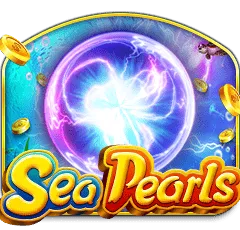
Browse the whole Ultra Thunder fish games list for the other sea-themed tables, or go straight to Sea Pearls, which turns the same underwater setting into a glowing orb and scattered gold coins.
How to open Paradise: create your free account, open the game in the lobby, tap Get Game Access, then Cash In from your wallet. Outcomes are random; set a budget before you play. Full how-to-play guide.
Paradise questions
What is on the Paradise tile?
A round purple fish with a jagged green crest, yellow-green belly, red eyes and a wide grin full of sharp teeth, sitting on a coral reef with a pink jellyfish, an orange starfish and open shells holding pearls. The name is lettered in gold and orange with a pearl shell below it. The Chinese title, 天堂, simply means paradise.
Does Paradise play differently from other fish tables?
The mechanics are the standard fish table set on Ultra Thunder: a cannon at the bottom, a bet level charged per shot, targets on a screen shared with other players, large targets costing more shots. What differs is the artwork and the specific targets, which are listed on the info screen in the game. We do not claim features that are not visible on the tile.
How do I move credits out of Paradise when I am done?
Press Cash Out inside your account. Credits move from the game back to your wallet, where they can be used for any other game or withdrawn with Withdraw. The movement appears in Transaction History with its status. Leaving credits inside a finished game is a common habit; a quick Cash Out at the end of every session avoids it.