- Category
- Fish table
- Best for
- Players who want a classic undersea fish table with a clear reef layout
- Lobby title
- 渔乐世界
- Literal meaning
- world of fishing fun
- Tile lettering
- Fish Music World
- Where to play
- Browser, Android APK, iPhone web app
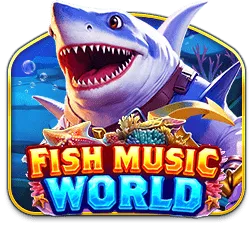
Fish's Fun World is an Ultra Thunder fish table whose tile is actually lettered Fish Music World, a quirk of the Chinese title 渔乐世界. The icon shows a great white shark with open jaws above a coral reef, and the game is a shared-screen cannon shooter.
- Great white shark with open jaws over a coral reef with starfish
- Tile lettering reads Fish Music World, from the Chinese title 渔乐世界
- Standard cannon shooting with a bet level per shot on a shared screen
- A straightforward sea-themed table for players who like classic reef art
Two names for one reef
Fish’s Fun World is the name in our catalog; the tile in the Ultra Thunder lobby reads Fish Music World. Both come from the Chinese title 渔乐世界. The first character 渔 means fishing, the last two mean world, and the middle character 乐 is the source of the confusion: read one way it means fun, read another it means music. The artist who lettered the tile chose music. Whichever name you search for, it is the same game.
The icon itself is a classic reef scene. A great white shark, grey on top and pale underneath, lunges forward with its jaws wide and rows of teeth visible. Below it the reef is dense with pink and orange coral, a starfish on the left, and a few small fish hiding in the growth. Light filters down through blue water from the top left. The lettering is white and blue with a soft outline, sitting across the coral at the bottom.
Playing on the reef
Fish’s Fun World is a standard shooting table. Your cannon is fixed at the bottom of the screen, and the bet level you set decides the cost of each shot. Creatures swim across the reef in paths, and you aim and fire at the ones you choose. Small fish fall quickly; the shark-sized targets take a long run of shots and cost a lot more to bring down.
Everyone at the table shares the same screen. Other players’ shots count against the same targets, so a large target can be claimed by someone else while you are still firing. The Ultra Thunder fish tables guide explains how to think about that when choosing targets.
We do not list target values, weapons or any payout or multiplier figure. The info screen in the game shows the current set, and it is the only reliable source because it changes with updates.
Who the table suits
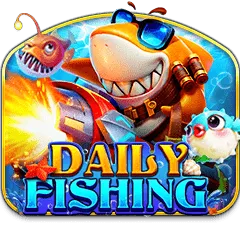
This is a good table for players who like the traditional undersea look without an elaborate theme layered over it. The targets are drawn clearly against the coral, and there is nothing on screen to distract from aiming. If you have outgrown the beginner room at Daily Fishing, Fish’s Fun World is a natural next step.
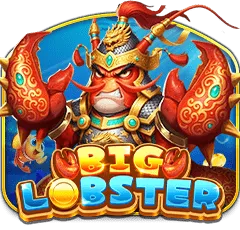
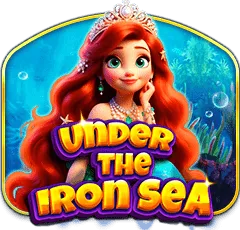
For an undersea table with a character front and centre, Lobster Monster puts an armoured lobster on the tile. For something more industrial, Under the Iron Sea changes the mood entirely. All of them share your single wallet.
Managing credits on a reef table
Fix a session budget and Cash In only that amount. Start at the lowest bet, and resist raising it until you have watched several targets fall and know how fast your balance moves on this particular table.
Choose smaller targets to learn the paths, and treat the shark-sized ones as an occasional decision rather than a default. On a busy shared screen the biggest targets attract the most shots from other players, which can make them poor value for you. When you stop, Cash Out whatever is left to the wallet.
Opening Fish’s Fun World
Create your own free Ultra Thunder account on the official app and confirm your phone number by SMS. In the lobby, look for the Fish Music World tile, tap Get Game Access, and the game login appears on the page. Add money through Deposit if needed, then Cash In to load the game.
The game runs in the browser on any phone, tablet or computer. If you want the client, the official download links are on that same page inside your account; there is no store listing and no third-party file to install. See the full fish game list for every table, and read how to play if this is your first session on the platform. Availability depends on where you live. 18+ only.
How to open Fish's Fun World: create your free account, open the game in the lobby, tap Get Game Access, then Cash In from your wallet. Outcomes are random; set a budget before you play. Full how-to-play guide.
Fish's Fun World questions
Why does the tile say Fish Music World instead of Fish's Fun World?
The Chinese title is 渔乐世界. The middle character 乐 can be read as lè, meaning fun or joy, or as yuè, meaning music. The catalog name takes the first reading, world of fishing fun, while the tile art took the second and printed Fish Music World. Both labels refer to the same game with the same icon and the same game login, so either name will find it in the lobby.
What kind of game is Fish's Fun World?
It is a fish table. You aim a cannon from the bottom of a shared screen, set a bet level before each shot, and fire at sea creatures crossing the reef. Bigger targets take more shots and therefore cost more credits. Other players shoot the same targets. The list of targets, any special weapons and the current rules are on the info screen inside the game.
How do I get a login for Fish's Fun World?
Sign up for a free Ultra Thunder account yourself, open the lobby, find the Fish Music World tile and tap Get Game Access. A game username and password are generated on the spot and shown on the game page along with Play and, where available, Download buttons. Use Cash In to move credits from your wallet into the game. No agent is involved at any step.